
Quick save · key takeaways
- SteamOS is Valve’s Arch-based system; Bazzite is Fedora-based from Universal Blue.
- Both use Steam Game Mode and Proton, so game compatibility is largely shared.
- Bazzite covers far more handhelds, desktops and NVIDIA hardware.
- SteamOS is the reference experience on Steam Deck.
Bazzite and SteamOS look almost identical when a handheld powers on: the same Steam Game Mode, the same library layout, the same quick-access menu. Underneath, they are different operating systems with different goals, built by different people. If you are deciding what to run on a Steam Deck, choosing an OS for another handheld, or wondering whether a desktop gaming PC should run SteamOS at all, the differences matter. This Bazzite vs SteamOS comparison goes through them in practical terms, without picking a winner for everyone.
The short version
- SteamOS is Valve's operating system, based on Arch Linux, built first and foremost for Valve's own hardware. It is the reference experience on Steam Deck and is officially supported there.
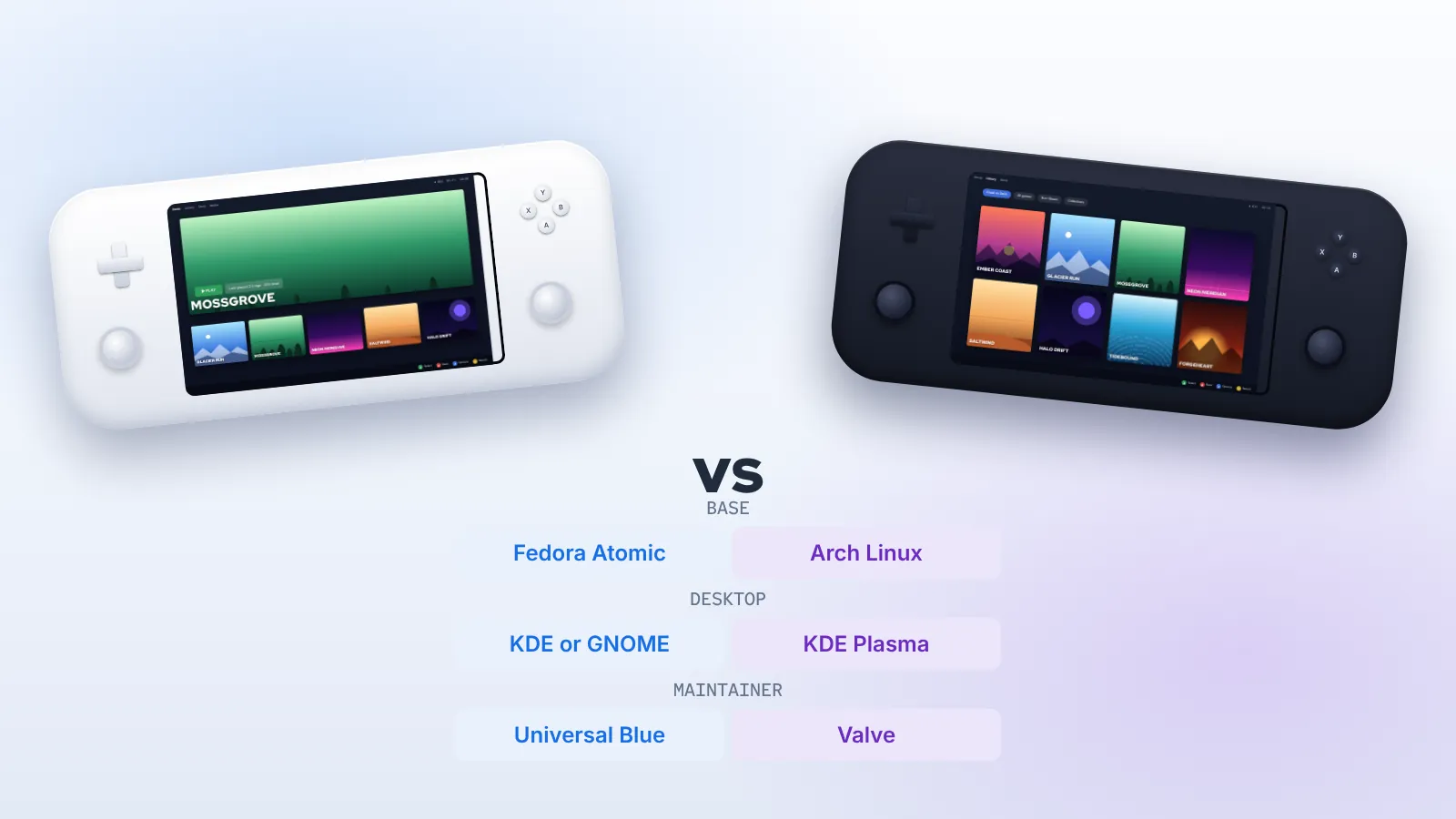
- Bazzite is a community operating system from the Universal Blue project, based on Fedora Atomic Desktops. It reproduces the Game Mode experience and extends it to a broad range of desktops, laptops, handhelds and living-room PCs, with KDE Plasma or GNOME as a full desktop.
Both use Proton to run Windows games, both treat the operating system as a read-only image updated as a whole, and both can roll back. Most of the differences come from base distribution, hardware scope and how much the desktop side is designed for daily use.
Side-by-side comparison
| Aspect | Bazzite | SteamOS |
|---|---|---|
| Maintainer | Bazzite team, Universal Blue community | Valve |
| Base distribution | Fedora Atomic Desktops | Arch Linux |
| Update model | Container images via rpm-ostree / bootc, previous deployments kept | A/B system partitions, image updates |
| Game Mode | On deck images; optional session on desktop images | Default on supported devices |
| Desktop | KDE Plasma or GNOME, designed for daily use | KDE Plasma desktop mode |
| Primary hardware | Desktops, laptops, Steam Deck, many PC handhelds, HTPCs | Steam Deck and Valve-supported devices |
| NVIDIA GPUs | Dedicated NVIDIA images | Not a focus |
| App installation | Flatpak via Bazaar, Homebrew, Distrobox | Flatpak via Discover |
| Source | Build recipes on GitHub under Apache-2.0 | Built from open components plus Valve's packages |
Base distribution: Fedora vs Arch
SteamOS 3 is built on Arch Linux. Valve maintains its own package repositories and ships a curated snapshot to devices, so you do not experience Arch's rolling updates directly. Bazzite is built on Fedora Atomic through Universal Blue, as explained in our guide to what Bazzite is based on.
For most players the base distribution is invisible until something goes wrong or until they want to install extra software. Then it determines which documentation applies, which kernel and drivers you get, and how quickly new hardware is supported. Fedora's cadence gives Bazzite recent kernels and Mesa releases, and the Bazzite team adds its own kernel patches for handhelds. SteamOS moves at Valve's pace, carefully tuned for the hardware Valve supports.
Hardware support
This is where the two diverge most.
Steam Deck
SteamOS is the native operating system on Steam Deck and the one Valve tests every update against. Bazzite also treats Steam Deck as its primary handheld target and ships a deck image specifically for it. Both run well. SteamOS gets Valve's firmware and feature updates first, by definition; Bazzite gets a more capable desktop and its own update and rollback model.
Other handhelds
Valve has extended SteamOS to selected third-party devices, starting with a SteamOS edition of Lenovo's Legion Go S, and has improved general handheld compatibility over time. Bazzite has supported a much longer list of handhelds for years, including the ROG Ally family and Legion Go models, with device-specific button mapping, power controls and fixes. Its November 2026 releases, for example, added initial support for the Acer Predator Atlas 8 and stable support for newer Ally hardware. If your handheld is not on Valve's official list, Bazzite is usually the more complete option.
Desktops, laptops and NVIDIA
Bazzite is designed for desktop PCs and laptops as well as handhelds, with dedicated NVIDIA images that include NVIDIA's drivers. SteamOS's general-purpose PC support has been limited compared with its handheld focus, and NVIDIA graphics have not been a priority. For a GeForce desktop, Bazzite is the practical choice of the two.
Valve hardware beyond the Deck
Valve's living-room Steam Machine runs SteamOS. Bazzite added detection for it, under its codename Fremont, in November 2026, which shows the project's habit of following new gaming hardware closely. As with any device, check the documentation for its actual support status before installing.
Game Mode experience
Both systems run the Steam client's Game Mode on top of gamescope, Valve's micro-compositor. Library, store, controller configuration, per-game performance settings and the quick-access menu look and behave the same, because they come from Steam itself.
Differences appear around the edges:
- Power and performance controls. On Steam Deck both expose TDP, frame limits and GPU clock controls. On other handhelds, Bazzite integrates device-specific controls that SteamOS may not provide.
- Plugins. Decky Loader, the community plugin framework for Game Mode, is available on both. Bazzite offers it as an option in its setup flow.
- Boot target. SteamOS boots into Game Mode on its supported devices. Bazzite's deck images do the same; its desktop images boot to a normal desktop, with Game Mode available as a session.
The desktop side
SteamOS includes a KDE Plasma desktop mode, mainly for occasional tasks like installing non-Steam games or managing files. It works, but it is not designed to be someone's main computer. Bazzite's desktop is intended as a full daily-driver environment: you can choose KDE Plasma or GNOME, codecs and common hardware are supported out of the box, and the system includes Distrobox, Homebrew and the Bazaar app store. If the same machine is your work laptop or family PC, that difference adds up quickly. Our Bazzite desktop guide covers that setup in detail.
Updates and recovery
Both systems are image-based, which is one of the reasons they are both reliable.
SteamOS uses two system partitions. An update is written to the inactive one and the device switches to it on reboot; if it fails, the device can fall back. Valve also provides a recovery image that can reinstall SteamOS on a Deck.
Bazzite uses rpm-ostree and bootc deployments. Each update is a new image staged beside the running one; the previous deployment stays in the boot menu, and Universal Blue keeps recent builds available so you can roll back or rebase to a specific date. Bazzite Portal exposes update, rollback, rebase and reset actions graphically.
In daily use both feel similar: updates download quietly and apply on restart. Bazzite gives you more control over which build you run, which is useful if a regression affects your device.
Installing software
Both systems keep the core read-only and steer applications to Flatpak. SteamOS uses Discover; Bazzite uses Bazaar as its default store. Beyond that, Bazzite adds Homebrew for command-line tools and Distrobox for full Ubuntu, Arch or Fedora containers, and its DX variant adds Docker, virtualisation and GPU compute. On SteamOS, changes made to the system partition with its package manager are typically overwritten on the next update, so deeper customisation is more awkward.
Game compatibility
Game compatibility is largely the same on both, because it depends on Proton, which Steam provides on both systems. A game that runs under Proton on SteamOS will normally run on Bazzite, and vice versa, given comparable hardware. Steam's Deck Verified ratings are measured on SteamOS and Steam Deck, but they are a useful guide on Bazzite too.
The limits are also shared. Games with kernel-level anti-cheat that does not support Linux, or anti-cheat that has not been enabled for Proton by the developer, will not work online on either system. Non-Steam launchers work on both, though Bazzite includes Lutris and makes it easier to install others from Bazaar.
Performance
On the same Steam Deck, performance differences between SteamOS and Bazzite are generally small and vary by game, driver version and settings. Bazzite's newer kernels and Mesa releases sometimes help with recent games or hardware; SteamOS's tuning for its own device sometimes helps in other cases. Neither should be chosen on the assumption that it is dramatically faster. On other hardware, especially handhelds without official SteamOS support, Bazzite's device-specific work tends to make a larger difference than raw performance.
Which one should you choose?
Choose SteamOS if
- You own a Steam Deck and use it purely as a handheld console.
- You want the exact system Valve tests, with Valve's support channels.
- You rarely use desktop mode and do not need extra software.
Choose Bazzite if
- Your handheld is not officially supported by SteamOS, or you want broader device-specific features.
- You are building a desktop gaming PC or HTPC, especially with an NVIDIA GPU.
- You want a full KDE or GNOME desktop for work and everyday use on the same machine.
- You like choosing between builds and rolling back to a specific date.
- You develop software or games and want containers and virtual machines; see Bazzite DX.
Switching between them
On a Steam Deck you can move in either direction. Installing Bazzite replaces SteamOS on the target drive; restoring SteamOS uses Valve's recovery image. Your Steam library re-downloads or can be restored from a backup, and cloud saves sync for supported games. Many people simply try Bazzite on a microSD card or external SSD before committing. The Bazzite install guide covers the steps.
Community and support
Support channels reflect who builds each system. SteamOS support comes through Valve's help site and the Steam Deck community, and because the hardware is limited, solutions are often precise and well tested. Bazzite support comes from its documentation, the Universal Blue discussion forum, the project's Discord and its GitHub issue tracker. The community is active and technical, and maintainers often respond directly. The breadth of hardware means answers are sometimes model-specific, so including your exact device and image in a question gets better help.
Cost and licensing
Both systems are free to use. SteamOS is distributed by Valve for its supported devices; Bazzite's build recipes are published under the Apache-2.0 licence, and anyone can build a derived image. Both include components with their own licences, such as the Steam client and, on Bazzite's NVIDIA images, NVIDIA's drivers.
Long-term maintenance
Think about the next few years, not just the first week. A Steam Deck on SteamOS will keep receiving Valve's updates for as long as Valve supports it. A handheld or desktop on Bazzite follows Fedora's release cycle, moving to a new base roughly twice a year, with the project handling the transition inside its images. In both cases the image-based design means you are not left managing package conflicts yourself, which is the main reason either system ages better than a traditionally installed one.
Trying both before you decide
If you are still undecided, there is no need to guess. On a Steam Deck, install Bazzite to a fast external SSD and boot from it while SteamOS stays on the internal drive. Play the same three or four games on each for a week, paying attention to frame pacing, battery life, sleep behaviour and how often you visit the desktop. That small experiment answers the question more reliably than any comparison table.
Summary
The Bazzite vs SteamOS question is less about which is better and more about scope. SteamOS is Valve's carefully controlled system for Valve hardware. Bazzite takes the same Game Mode experience and builds a general-purpose, Fedora-based gaming OS around it, covering many more devices and offering a desktop you can live in. If you own a Deck and want the reference experience, SteamOS is a fine choice. If you want that experience on other hardware, or want your gaming PC to double as a full computer, Bazzite is the more flexible path.
Frequently asked questions
Is Bazzite a fork of SteamOS?
No. Bazzite is based on Fedora Atomic, while SteamOS is based on Arch. They share Steam's Game Mode and gamescope, not their underlying distribution.
Do games run the same on both?
Mostly, because both use Proton. Differences in driver versions can affect individual titles in either direction.
Can I use Deck Verified ratings on Bazzite?
Yes, as a guide. They are tested on SteamOS, but the same Proton and Steam components are present on Bazzite.
Which is better for a ROG Ally or Legion Go?
For devices without full official SteamOS support, Bazzite is generally the more complete option thanks to its device-specific input and power support. Check the documentation for your exact model.